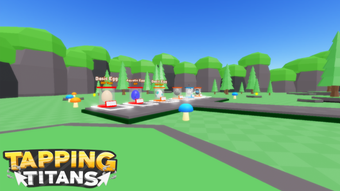

Free Pet Tapping Simulator for Roblox
Overview
FREE PET Tapping Simulator is a desktop application designed for users of the Roblox platform, specifically targeting players interested in enhancing their in-game pet management experience. Developed by Gra1nHack, the tool operates as a utility within the Roblox ecosystem, aiming to streamline pet interaction through automated tapping mechanics. It is intended for casual and dedicated Roblox users who seek to optimize gameplay efficiency without manual input.
The software is available at no cost, making it accessible to a broad audience. While the developer did not provide detailed information about the tool’s underlying functionality, its primary purpose appears to be simplifying repetitive actions in pet-related game modes. The application supports multiple languages, including English, Spanish, and Italian, indicating a global user base.
It was released on August 2, 2022, and is compatible with both Windows and Mac operating systems. As of now, no official testing has been conducted by Softonic, so real-world performance and reliability remain unverified.
Key Features & Capabilities
- Automated Pet Tapping – The software enables automatic tapping on pet-related game elements, reducing manual input during gameplay. This feature is ideal for users who wish to maintain continuous engagement with their virtual pets without constant attention.
- Multi-Language Support – Available in English, Spanish, and Italian, the tool accommodates users from diverse linguistic backgrounds, improving accessibility for international Roblox communities.
- Lightweight Design – With a file size of 2.5 MB, the application is compact and designed for minimal system impact, making it suitable for devices with limited storage or older hardware.
- Roblox Integration – Built specifically for the Roblox platform, the software is intended to interface with Roblox games that feature pet-tapping mechanics, offering a seamless experience for users within those environments.
Users may leverage this tool to maintain consistent pet activity in games that rely on tapping for pet growth or resource generation. The automation feature can help sustain gameplay momentum during idle periods or while multitasking. Its lightweight nature ensures quick installation and minimal background resource usage, though exact performance details were not specified. The tool is designed to run as a standalone application, likely requiring the user to manually launch it alongside their Roblox client.
User Interface, Workflow & Performance
The user interface of FREE PET Tapping Simulator is not described in detail, but based on its utility category and minimal file size, it likely features a simple, no-frills design focused on core functionality. Navigation is expected to be straightforward, with essential controls such as start, stop, and configuration options accessible through a basic window layout. The workflow appears to involve launching the application, configuring tapping intervals or targets, and initiating automation.
Given the lack of provided system requirements, performance behavior such as CPU or RAM usage remains unspecified. The developer did not share information about stability, crash rates, or long-term reliability. General software behavior suggests that lightweight applications like this typically run smoothly on modern systems, but actual results may vary depending on the user’s environment.
No official benchmarks or performance reports are available. The tool is likely designed to operate in the background with minimal interference, though this has not been confirmed.
Compatibility & System Requirements
FREE PET Tapping Simulator is compatible with both Windows and Mac operating systems, indicating broad platform support for desktop users. The software version is listed as 0, which may suggest an early or unversioned release. The installation size is 2.5 MB, a relatively small footprint that aligns with lightweight utility applications.
The developer did not provide additional system requirements, such as minimum RAM, processor specifications, or disk space beyond the file size. Compatibility with specific Roblox game versions or updates is also not documented. Users should exercise caution when running third-party tools on gaming platforms, as unintended behavior or conflicts may occur.
The absence of detailed technical information limits the ability to assess suitability for older or low-spec systems. Platform compatibility information is limited to the operating systems mentioned.
Pros and Cons
Pros
- Completely free to use, with no hidden costs or subscriptions
- Small file size (2.5 MB) enables fast downloads and minimal storage use
- Supports multiple languages, enhancing accessibility for non-English speakers
- Designed for Roblox, offering targeted functionality for pet-tapping games
Cons
- No official testing or performance data available from Softonic
- Exact system requirements and resource usage details were not provided
- Version number 0 may indicate an unstable or untested release
- Third-party tools for Roblox may violate platform terms of service
FAQ Section
Is FREE PET Tapping Simulator safe to use?
The software has not been tested by Softonic, so safety cannot be verified. Users should exercise caution when downloading third-party tools for Roblox, as they may pose risks to account security or violate platform policies.
Can I use this tool on both Windows and Mac?
Yes, the application is compatible with both Windows and Mac operating systems, as stated in the product details.
Does the tool require an internet connection?
The developer did not specify whether an internet connection is required. However, since it is a desktop utility for Roblox, it may function offline once installed.
How often does the software update?
There is no information available about update frequency. The current version is listed as 0, which may suggest limited or irregular updates.
Is this tool compatible with the latest Roblox update?
Compatibility with the latest Roblox version is not confirmed. Users should verify functionality after major platform updates, as third-party tools may become outdated.
Final Thoughts + CTA
FREE PET Tapping Simulator offers a straightforward, no-cost solution for Roblox players seeking automated pet interaction. Its lightweight design, multi-language support, and platform compatibility make it accessible to a wide audience. However, the lack of verified performance data, unclear system requirements, and the version number 0 raise concerns about stability and reliability.
While the tool may serve as a convenient utility for pet-tapping games, users should be aware of potential risks associated with third-party applications on gaming platforms. The absence of official testing limits confidence in its long-term safety and functionality. For those seeking a simple automation tool without cost, it presents a low-barrier entry point.
Still, caution is advised. Download FREE PET Tapping Simulator now to explore its potential within your Roblox experience.







